| Persona | Experience Level |
| Marketing, Sales, Service | Beginner |
Suggested Prerequisites:
Where will I find my playbooks and how can I start building them?
In this article, we'll go over:
- What is Targeting
- Who will see my playbooks
- Estimated Audiences
What is Targeting?
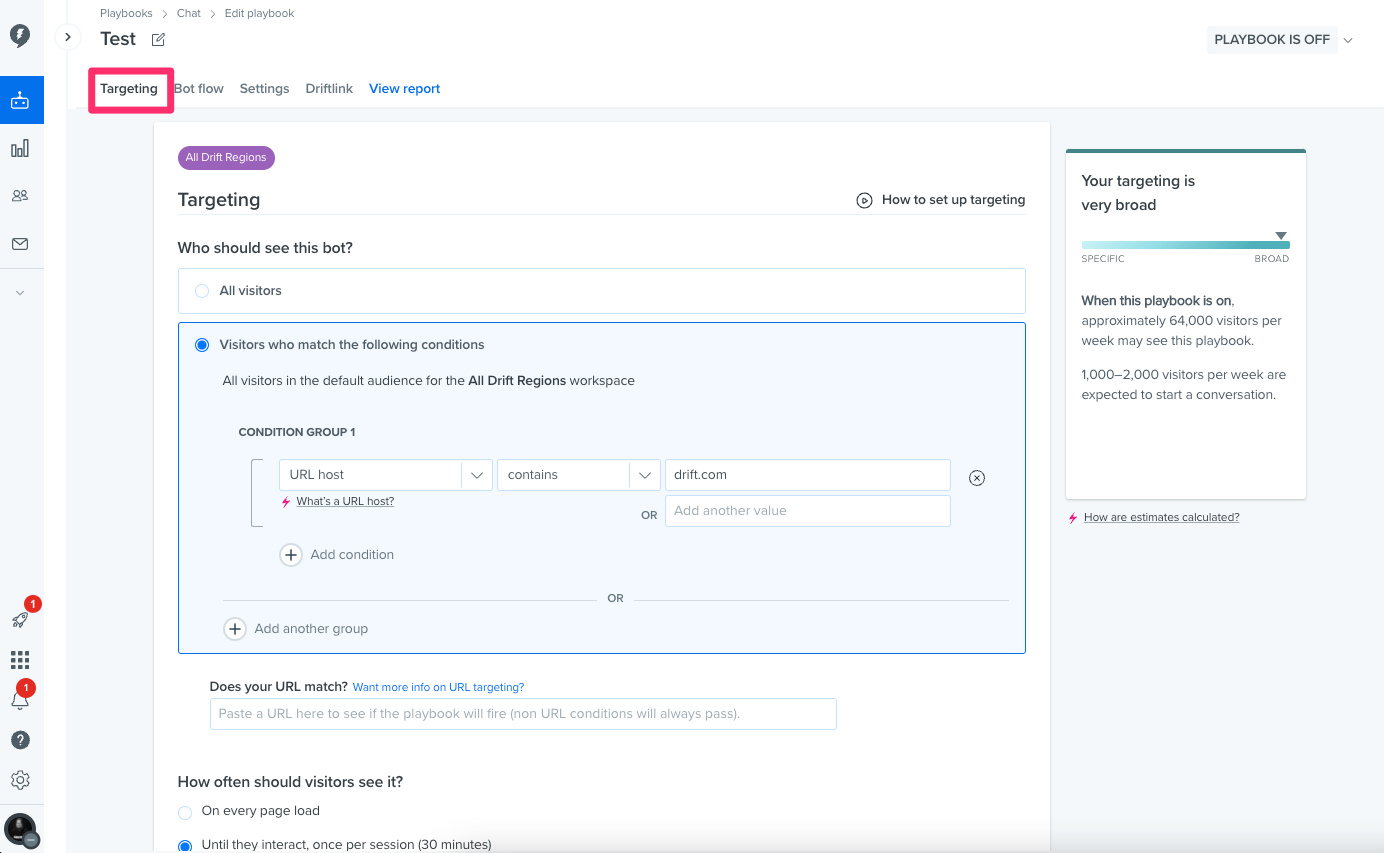
Targeting is what tells your playbooks who it should be displayed too. Once you've selected your playbook, the first option to determine is to select who the playbook should be displayed too. You set these options under the Targeting Tab of your playbook as seen below.
Who will see my playbook?
Your main options in Targeting are to Display to All visitors, or visitors who match the following conditions.
When selecting Visitors who match the following conditions you'll be given various options to choose from. For further information on these conditions or to learn more about what these conditions mean, we suggest checking out this help doc here.
Additionally, depending on what you are using your playbook for, you can also choose how often a visitor should see your playbook in action, and what percentage of targeted visitors should see this playbook. For example, a marketing user may have created a Full Screen Takeover playbook to highlight a a promotion and would like to target only 10% of your visitors to tempt them with a special offer. By selecting a custom percentage, you can adjust how many users will see your playbook.
Estimated Audiences
On the right hand side of the targeting tab, you'll find the Audience Estimator. The Audience Estimator will give you an idea of how many people will view your playbook with the targeting conditions you have selected. You can use this to help make decisions on your targeting to determine if your audience is too large, or too specific.
Now that you're familiar with who will see your Chat playbooks, you can return to our Persona Guide for Chat Playbooks for more intel.