To enable a user as a Designated Support Contact (DSC), all you need to do is update their Contact Role in Salesforce.
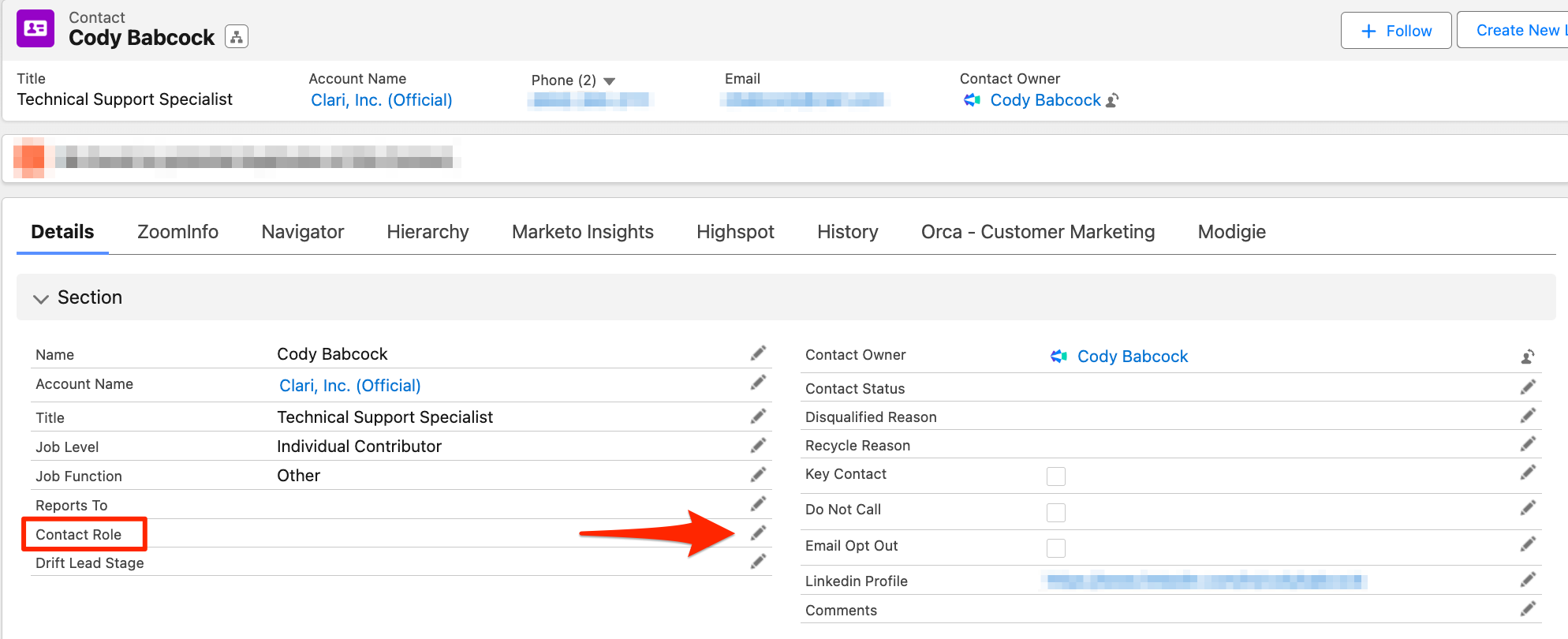
In the Details section of the users account information, you will see a section labeled Contact Role. You can update this by clicking the pencil icon in this section.
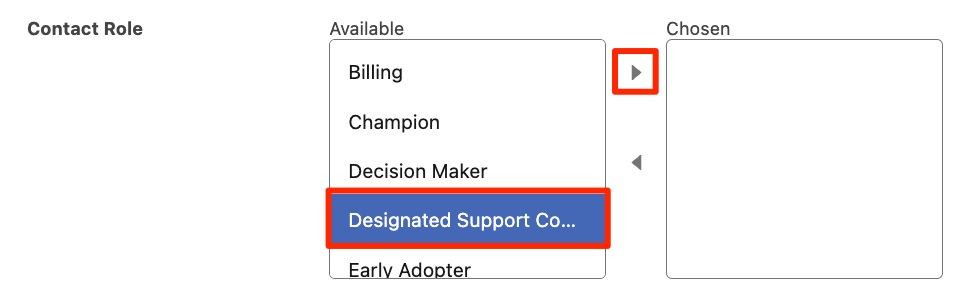
This will bring up the list of Contact Roles you can choose for that user. Once you select the Designated Support Contact role, click the right arrow to assign that role to that user.
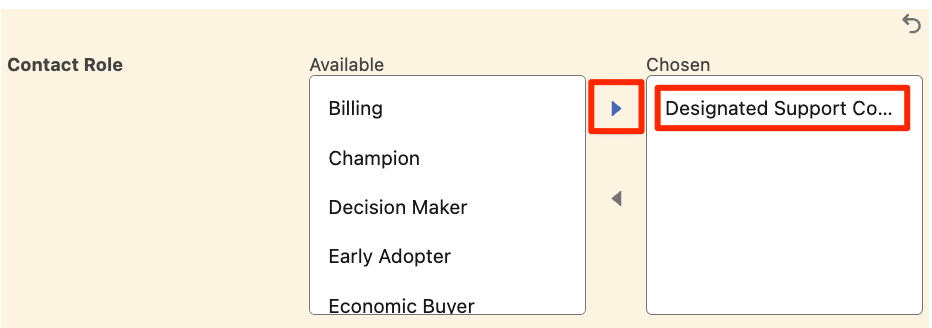
Once you have assigned the Designated Support Contact role to the desired user, Save your changes.

* To remove a user as a Designated Support Contact, simply remove the Contact Role for that user.
If you run into any errors or are having trouble assigning a user as a Designated Support Contact, you can reach out to the #eap-support-portal channel on Slack.