Deal Risk and Momentum Indicators
Overview
There's a lot of info on deal risk and momentum in the Insights Panel. Sometimes, your key indicators get lost in all that data, and you don’t get the quick insights you need to make better decisions.
Risk and Momentum Indicators surface key insights, so you and your team can streamline your pipeline inspection process and focus on key deals and relationships. 🤝 Make sure you and your team understand how to read these indicators to capitalize on opportunities and mitigate any potential risk to keep deals moving forward.
There are two types of indicators:
- Standard Activity Indicators: These indicators track progress across deals, like "No upcoming meeting scheduled."
- Relationship Activity Indicators: These indicators track relationships within a deal, like "6 or more people are involved with this deal."
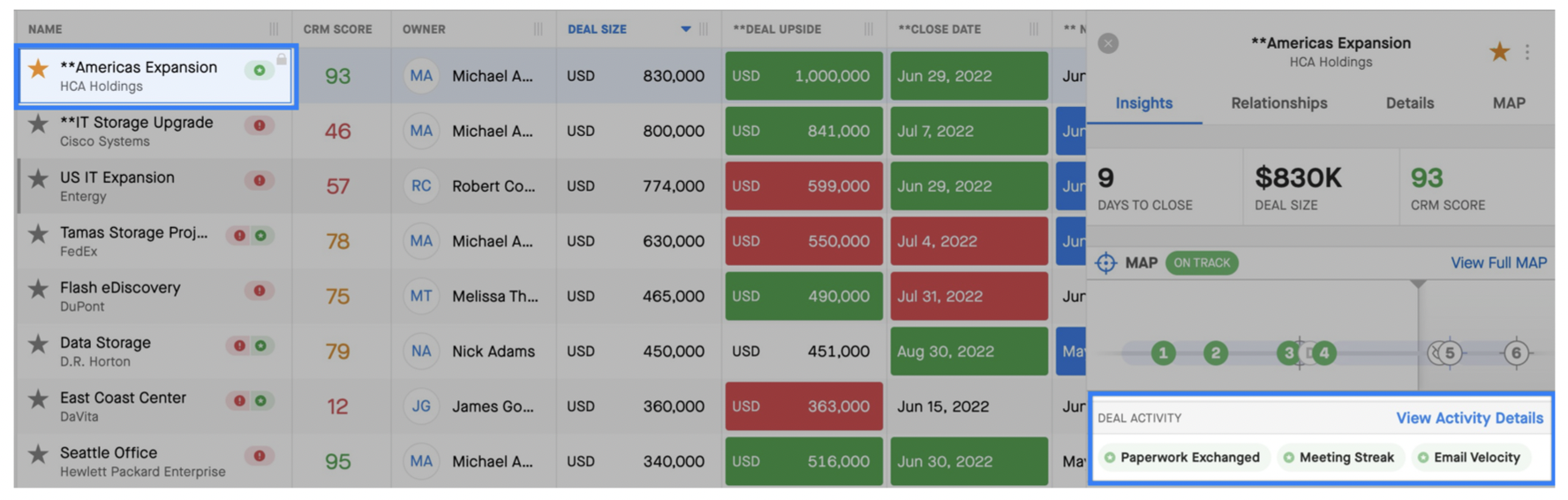
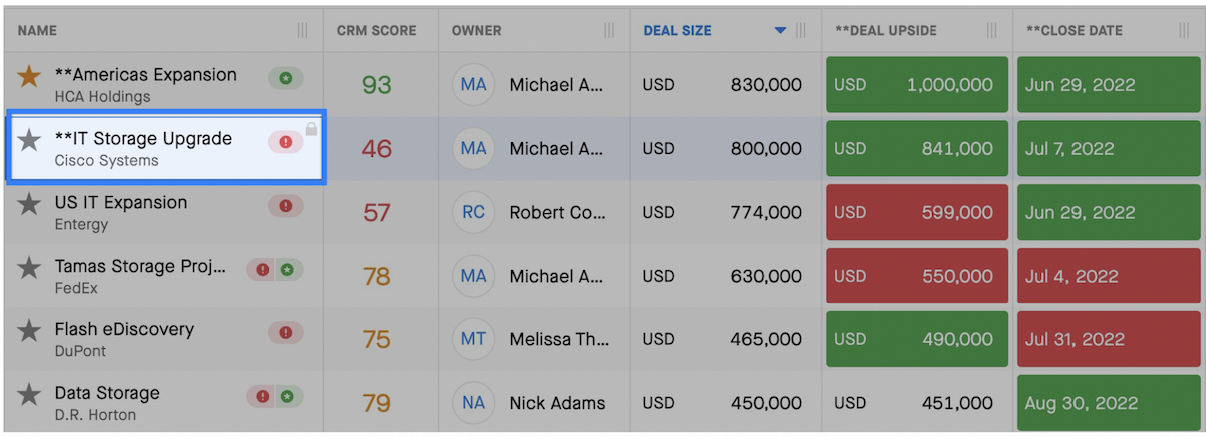
Indicators appear both on opportunities in the Opportunity grid and also in the Insights Panel:
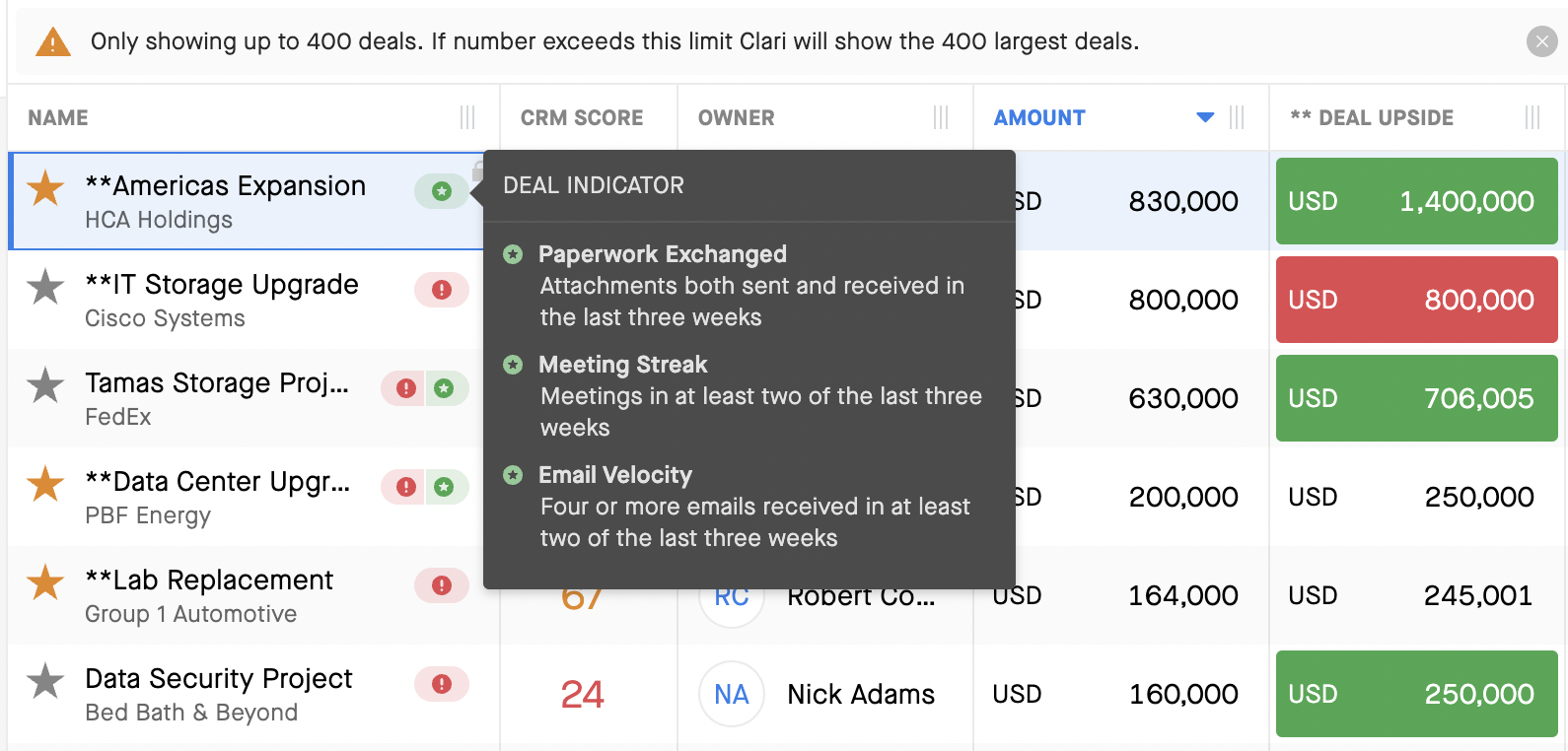
You can hover over the stars or exclamation marks to get info describing the indicators:
Activity Indicators Overview
Deal Momentum
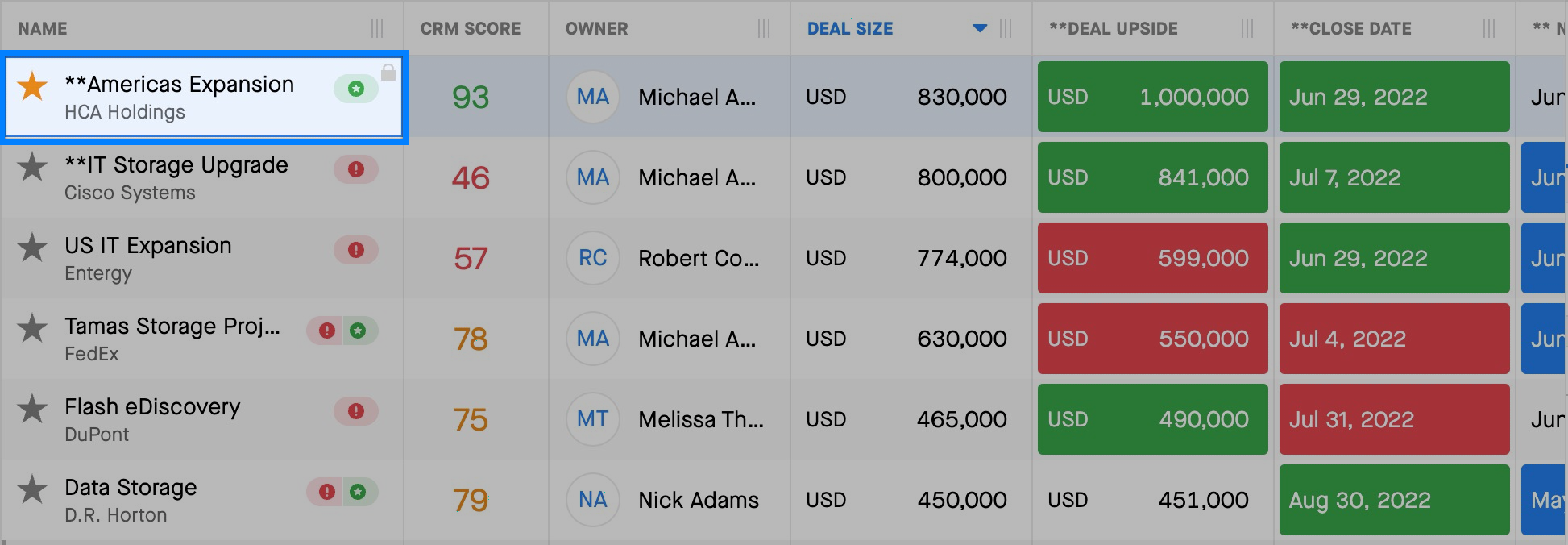
Deal momentum is highlighted with a green star on the right side of the opportunity you're reviewing in the grid.
Deal Risk
Deal risk is highlighted with a red exclamation mark on the right side of the opportunity you're reviewing in the grid.
Activity Indicators
Check out this list of the different Activity Indicators available.
Note: You can customize indicators. For example, the first one, "No Next Meeting" — you might change 8 weeks to 12 weeks. Reach out to your Clari CSM with any customization questions or requests.
| Indicator | Title | Conditions |
| Risk | No Next Meeting | No upcoming meetings scheduled in the next 8 weeks starting tomorrow. |
| Risk | No Activity | No activity at all in the last 3 weeks |
| Risk | Gone Dark | Emails sent but no emails received in the last 3 weeks |
| Risk | No Follow Up | Meeting in the last 3 weeks with no email activity |
| Risk | No Files Exchanged | No files sent or received in the last 8 weeks |
| Risk | Single Threaded | Only one external person engaged in the selected time period |
| Risk | Solo Selling | Only one internal person involved in the selected time period |
| Momentum | Paperwork Exchange | Attachments both sent and received in the last 3 weeks |
| Momentum | Meeting Streak | Meetings in at least 2 of the last 3 weeks |
| Momentum | Email Velocity | 4 or more emails received in at least 2 of the last 3 weeks |
| Momentum | Multi Threaded | 6 or more external people engaged in the selected time period |
| Momentum | Team Selling | 6 or more internal people involved in the selected time period |
Key Personas
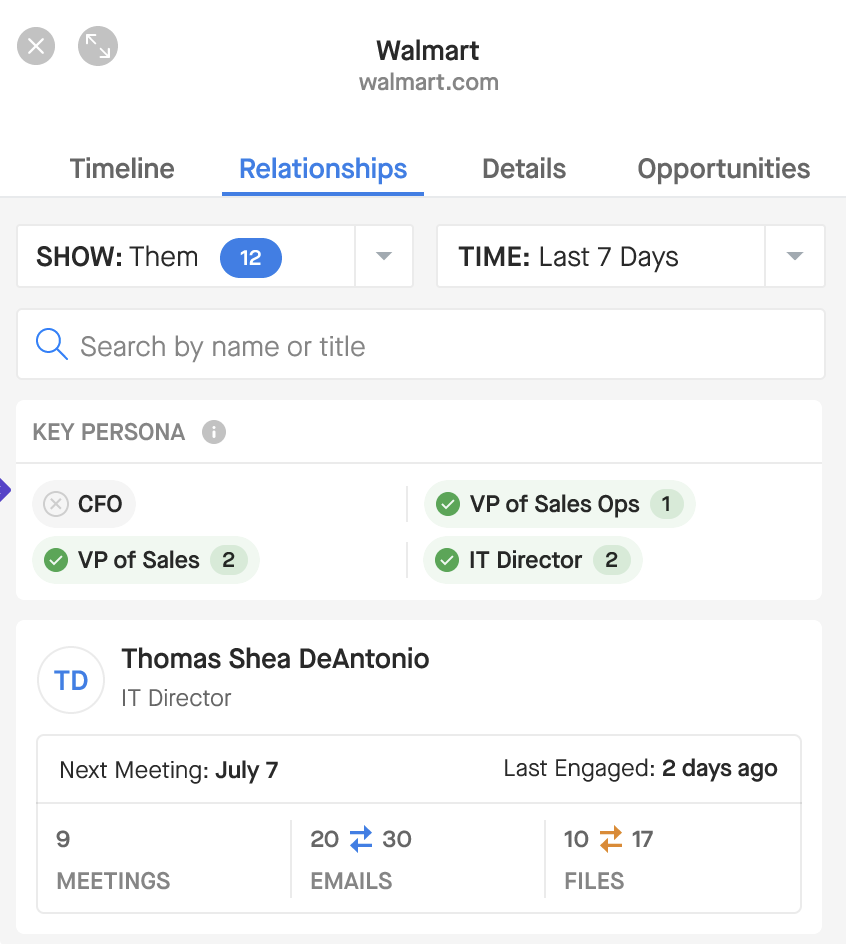
In addition to the indicators above, you can configure key personas and get a summary of key persona engagement (e.g., IT Director not engaged) from the Insights panel. You can set up these key personas with keyword matching from either the Title field on the contact (e.g., VP of Sales) or the Opportunity Contact Role field (e.g., Economic Buyer).
Here's what Personas look like in the Insights Panel: