Time Machine in Pulse
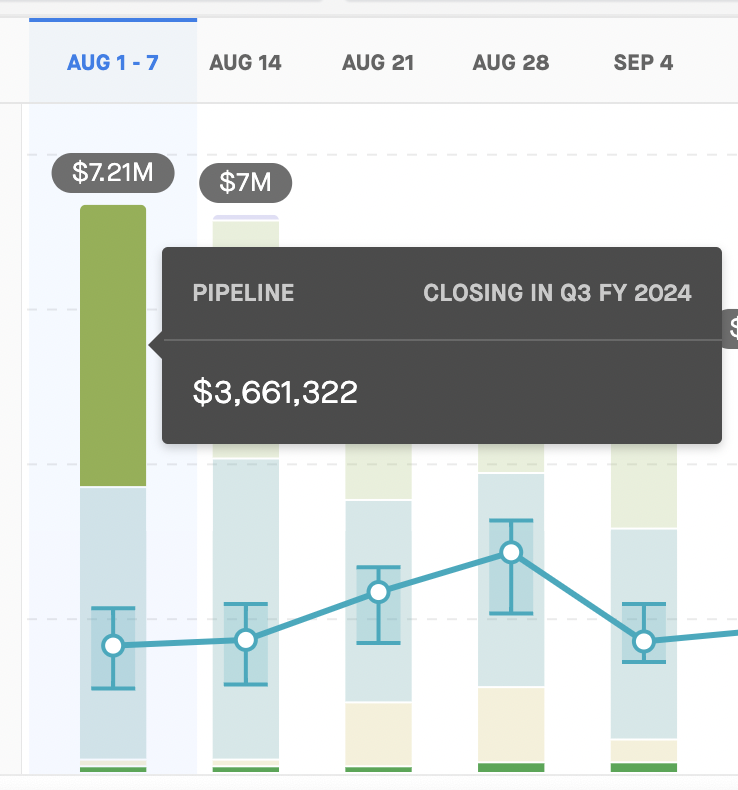
When you click on part of the pipeline in any week in the chart, you can view the specific opportunities that contributed to that part of the pipeline and their amounts at that point in time.
For example, if you want to look at the Pipeline forecast category in week 1 of Q3, and that week ended on Aug 7, then you can click on the Pipeline segment in the bar graph to see the deals that were in that segment and the amount as of Aug 7.
Filter by stages, opportunity name, opportunity owner, amount, or close date as of the end of the selected week. For context, the panel's top will display the date when the data you are looking at was last updated (i.e., “As of Dec 13, 2024").
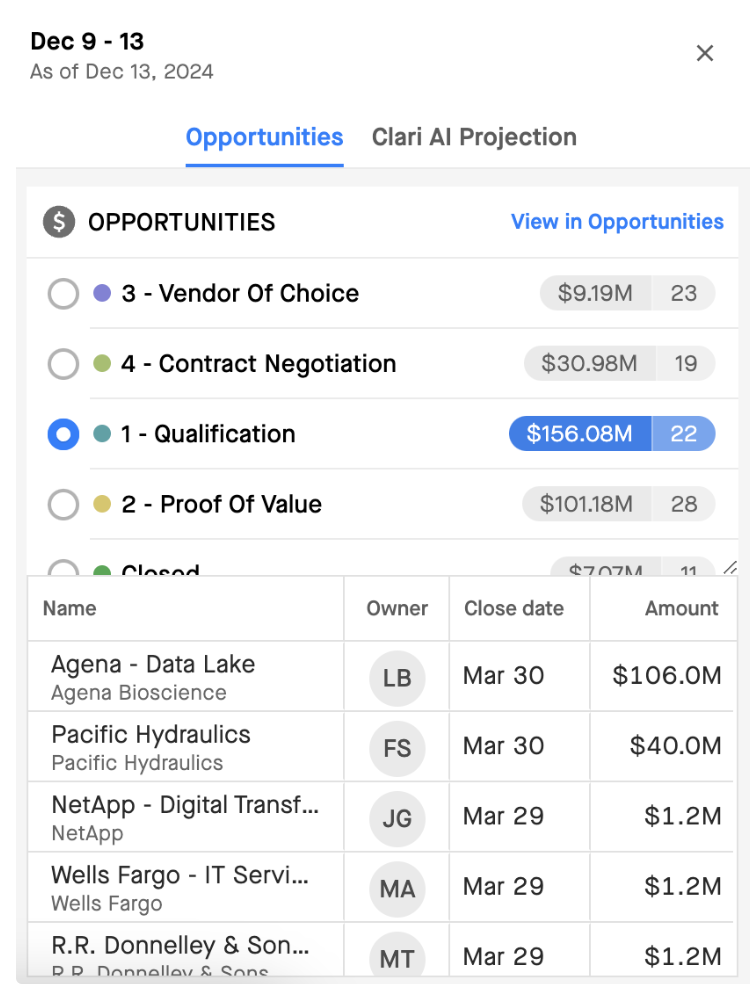
The amount displayed in the Opportunities panel on the right corresponds to the amount field you select in the Pulse chart. If you want to see a different amount, close the panel and adjust the Pulse chart.
Click View in Opportunities to open the Opportunity Grid and view the same opportunities in their current state as of the present.
Drill Down into Opportunities
Clicking “View in Opportunities” will take you to the Opportunities grid, where you'll see the deals that were listed in the side panel as of the end date of the selected period:
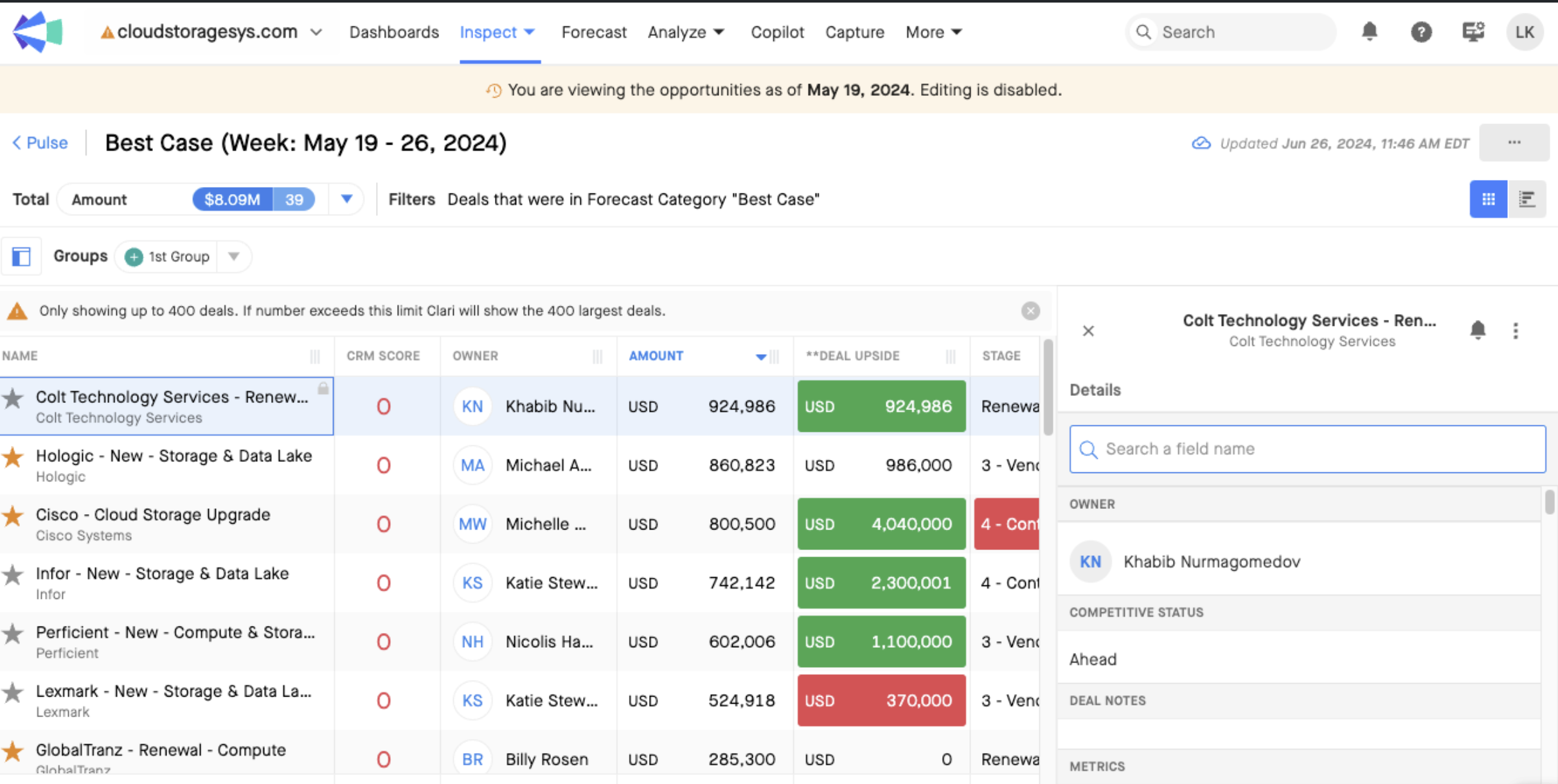
These are key functionality differences in the Opportunities Grid when it is in Time Machine mode:
-
All Opportunity field data is shown as of the end date of the selected period
-
Editing is fully disabled, both in the main grid as well as the right panel
-
The right panel only includes the Details list of fields. It does not include Activity, Relationships, or MAP
