Navigating the Hierarchy in Dashboards
Overview
The Scope and Hierarchy in Dashboards allow you to view any of your Dashboards at different levels of the business. This means a first-line manager can run 1-1's with all of their reps from a single dashboard, or an exec can easily drill into different regions. By default, Clari allows you to see your level of the hierarchy and below.
The Hierarchy allows you to override the default Scope setting for each of the widgets in the Dashboard. Simply click the Change Scope button at the top of your Dashboard, and select the level of the hierarchy for which you would like to review your Dashboard. To more easily find a user or role in your hierarchy, you can use the search box at the top of the drop-down menu.
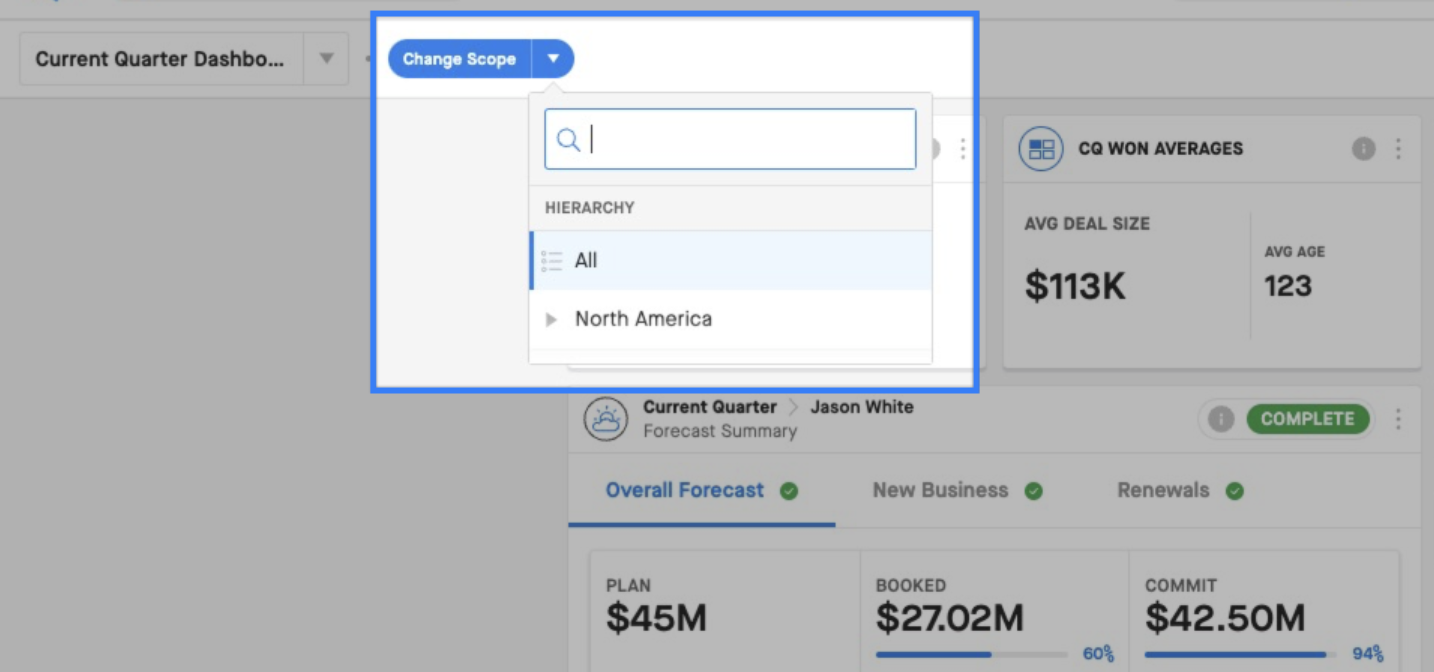
Once a node in the hierarchy has been selected, all widgets in the dashboard will reflect that scope.
The hierarchy will be displayed across the top of the dashboard in the breadcrumb. You can continue the navigate the hierarchy by opening any menu in the breadcrumb to see the peer and child nodes of that level. This makes it easy to pivot between reps on a particular team, or regions in a broader geographical location (i.e. West, Central, and East under North America).
To return to a higher level in the hierarchy, you can click on the name of the role/territory you would like to return to, or click the X next to the lower nodes in the hierarchy.

Note: If you get far enough down the hierarchy, we may not have enough space to display the full hierarchy in the breadcrumb. In these cases, we truncate the nodes in the middle of the hierarchy under the ellipsis, and you can return to one of these nodes by selecting it from the menu when you click on the ellipsis.
To return to your default Scope for the Dashboard, click the X next to the highest level of the breadcrumb (i.e. All).
