You can select multiple segments in a Group.
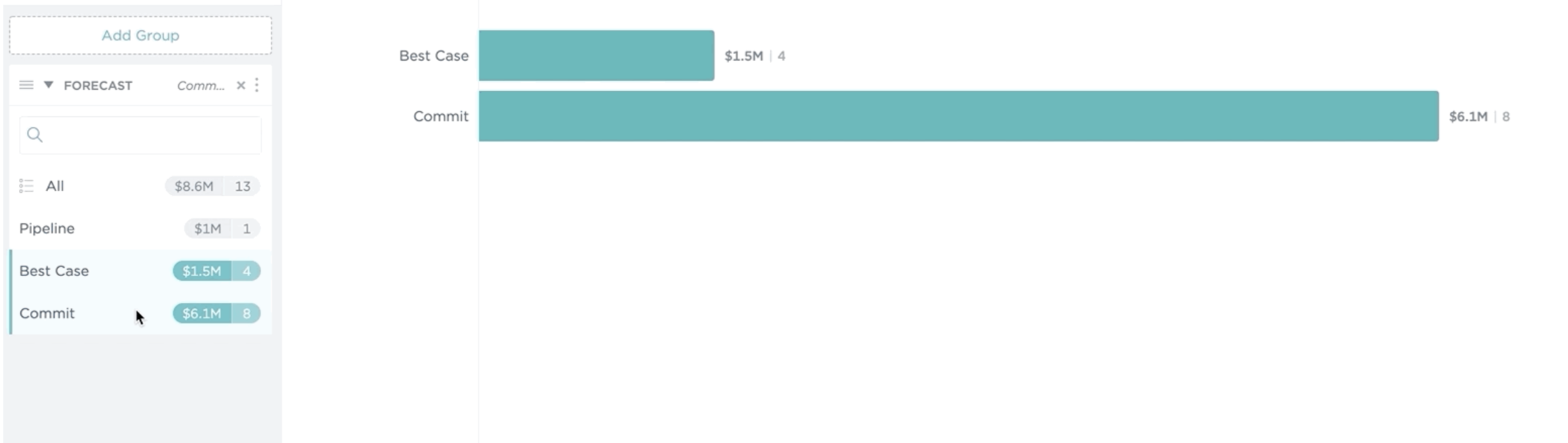
This can be particularly useful in Chart Mode if you only want to focus on specific segments of your pipeline. For example, you could focus on Best Case and Commit, excluding the Pipeline Forecast Category. Like this:
How To Select Multiple Categories
Mac
Click on the first group value you want to select. Then, hold the Command key (⌘) and click on the next group value. Hold the Command key (⌘) until you select all the values that want to focus on.
PC
Click on the first group value you want to select. Then, hold the Control key (CTRL) and click on the next group value. Hold the Control key until you select all of the values that you want to focus on.
Further Learning
Interested in learning more about Groups? Check out our article on Grouping Opportunities.
