Salesloft Deals requires the use of the Salesforce CRM. By leveraging these tools together, you can view essential opportunity details from Salesforce inside the Deals platform, maintain your deals in Salesloft, and have all of that information accurately updated back into Salesforce.
To make this process operate smoothly, there are specific requirements that must be met. These requirements include the version of Salesforce your team has, sync requirements, and access to specific fields.
In this article, you will learn the Salesforce field requirements that will ensure Deals will operate smoothly, including:
Deals Supported Salesforce Versions
Deals and Forecast in Salesloft supports the following version of Salesforce:
- Professional + API
- Enterprise
- Unlimited
Deals Sync Requirements
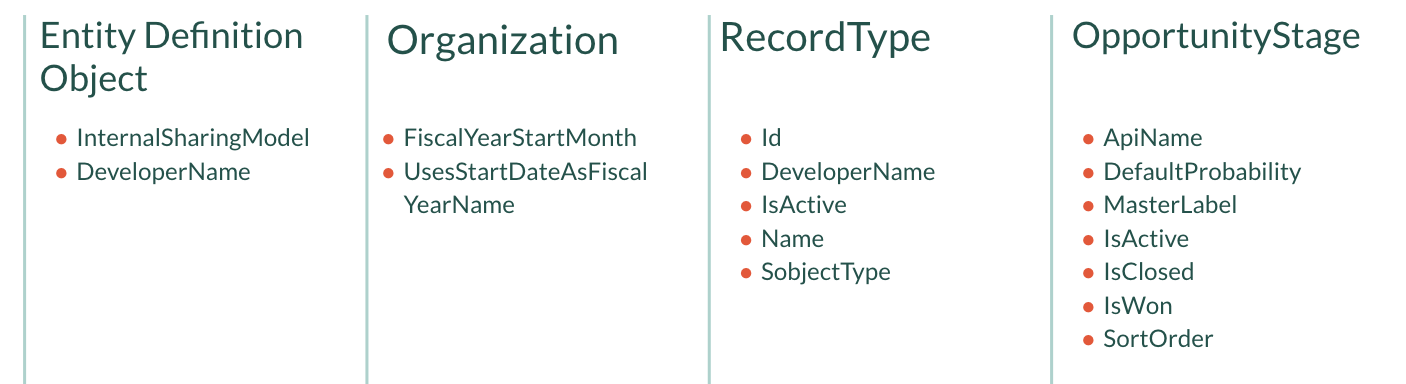
In order for Deals to function well and provide value for your team, Read permissions need to be enabled for any Salesforce Objects that contain fields you would like Deals to access (or share information). We recommend to enable Read permissions to each Salesforce user for the following objects:
- Opportunity
- OpportunityHistory
- OpportunityContactRole
- Account
- Lead
- Contact
- User
- Event
- Task
- UserRole
- RecordType
- Organization
- EntityDefinitionObject
- OpportunityStage
- If multi-currency is enabled:
- CurrencyType
- DatedConversionRate
- If splits/opportunity team members are enabled:
- OpportunitySplit
- OpportunityTeamMember
Your team's syncing user will also need Write permissions for the fields to be edited inside Deals and synced to Salesforce.
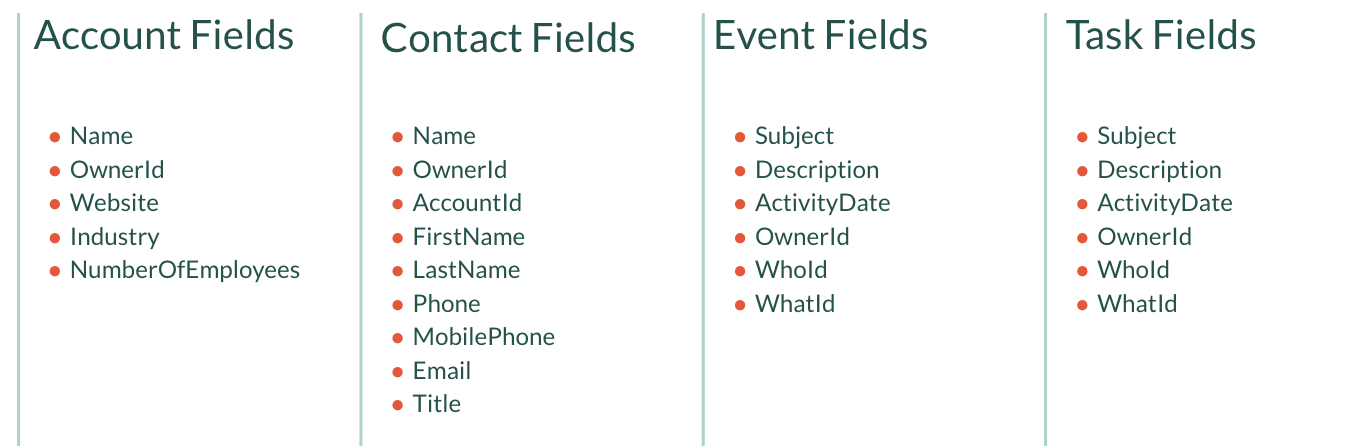
The Deals and Forecast Required Salesforce Fields section (below) includes the list of standard fields users must have Read & Write access to in order to make changes through Deals and Forecast. If your team uses custom fields for opportunities and your users need to be able to make changes to those fields, users must also have Read & Write permissions for the fields they need to edit.
Things to Note: If the Read or Write permissions were not assigned previously, you would need to fix the permission and then reseed the account in order for the sync to operate.
Deals and Forecast Required Salesforce Fields
Inside the various Salesforce objects, there are specific fields that can optimize your team’s Deals use in Salesloft. This section lists out the Salesforce fields we suggest using to get the most utilization out of Deals.
Things to Note: Some fields may vary based on your team’s use case and Salesforce setup.
General Fields for Deals
Opportunity Fields for Deals
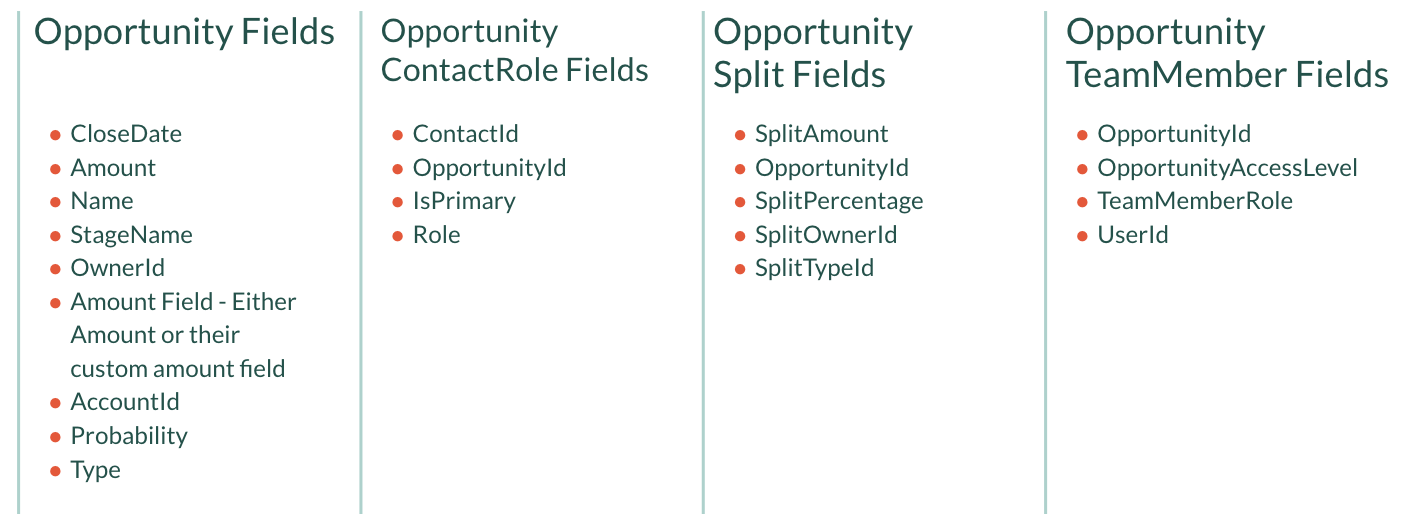
Things to Note: The Amount field must be mapped in your Field Configuration.
User and Multicurrency Fields for Deals
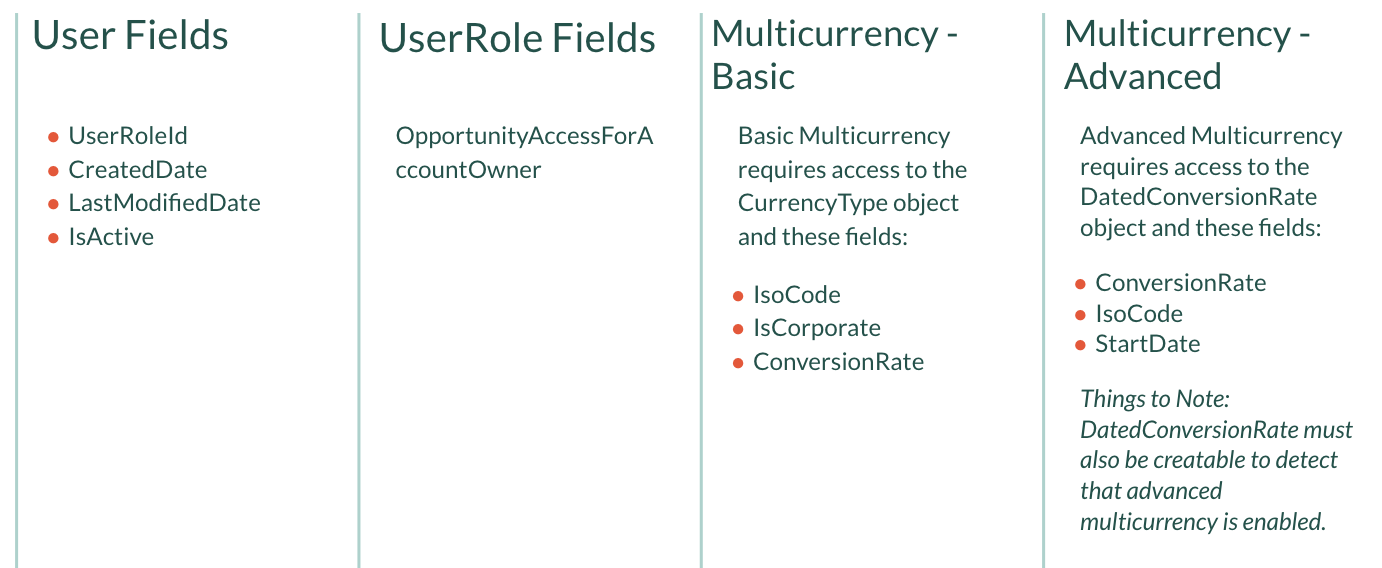
Miscellaneous Field Settings for Deals