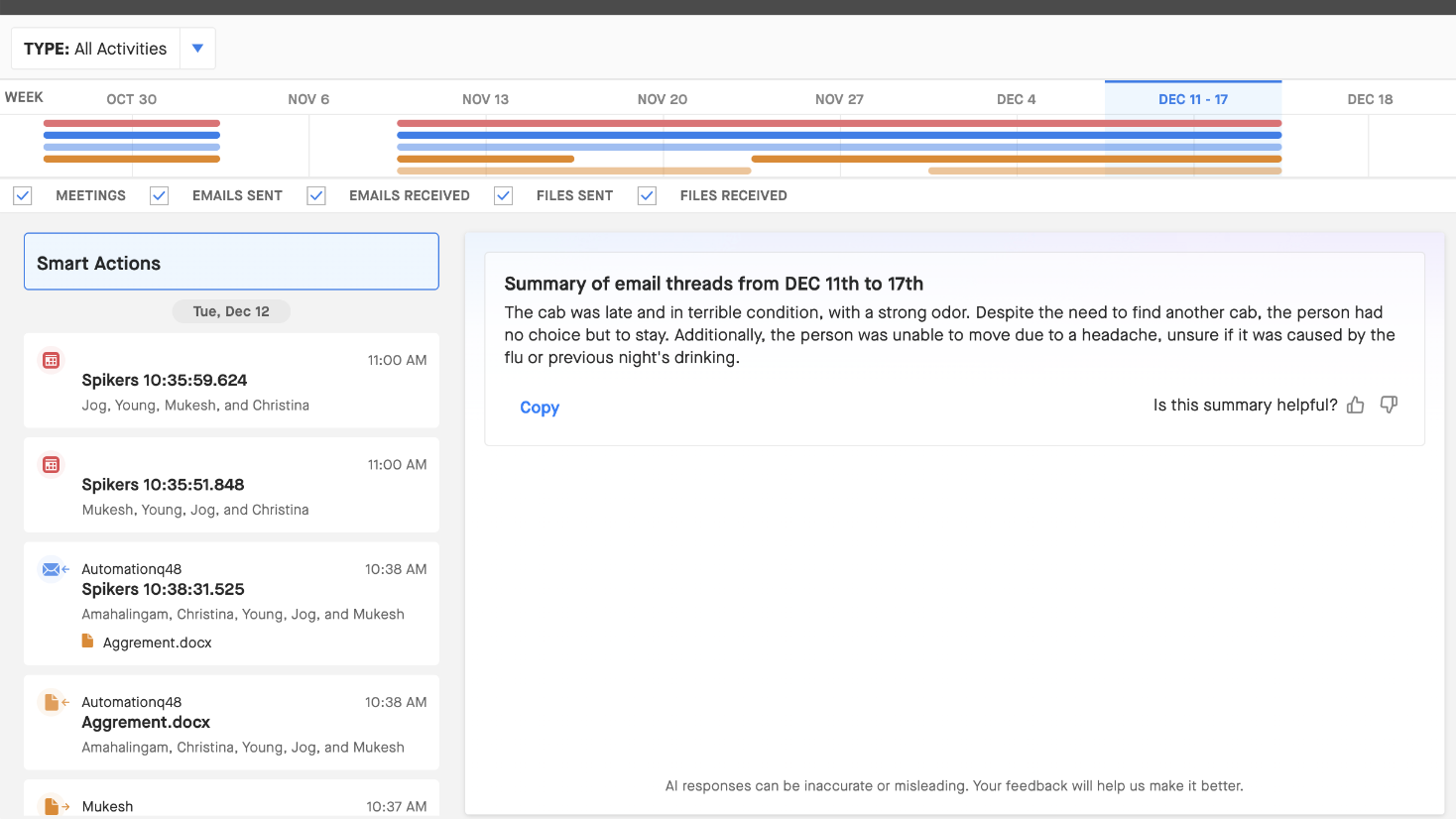
Smart Email Summaries
This feature condenses a week's worth of emails into concise summaries, allowing you to quickly grasp the most important information without going through each email individually. It uses generative AI to analyze and summarize the content of emails over a period of 7 days.
Use Cases
Reps and managers get summaries of email conversations that happened over the last 7 days and don't have to spend a lot of time reading through each and every email.
How to Enable Smart Email Summaries from Clari Studio
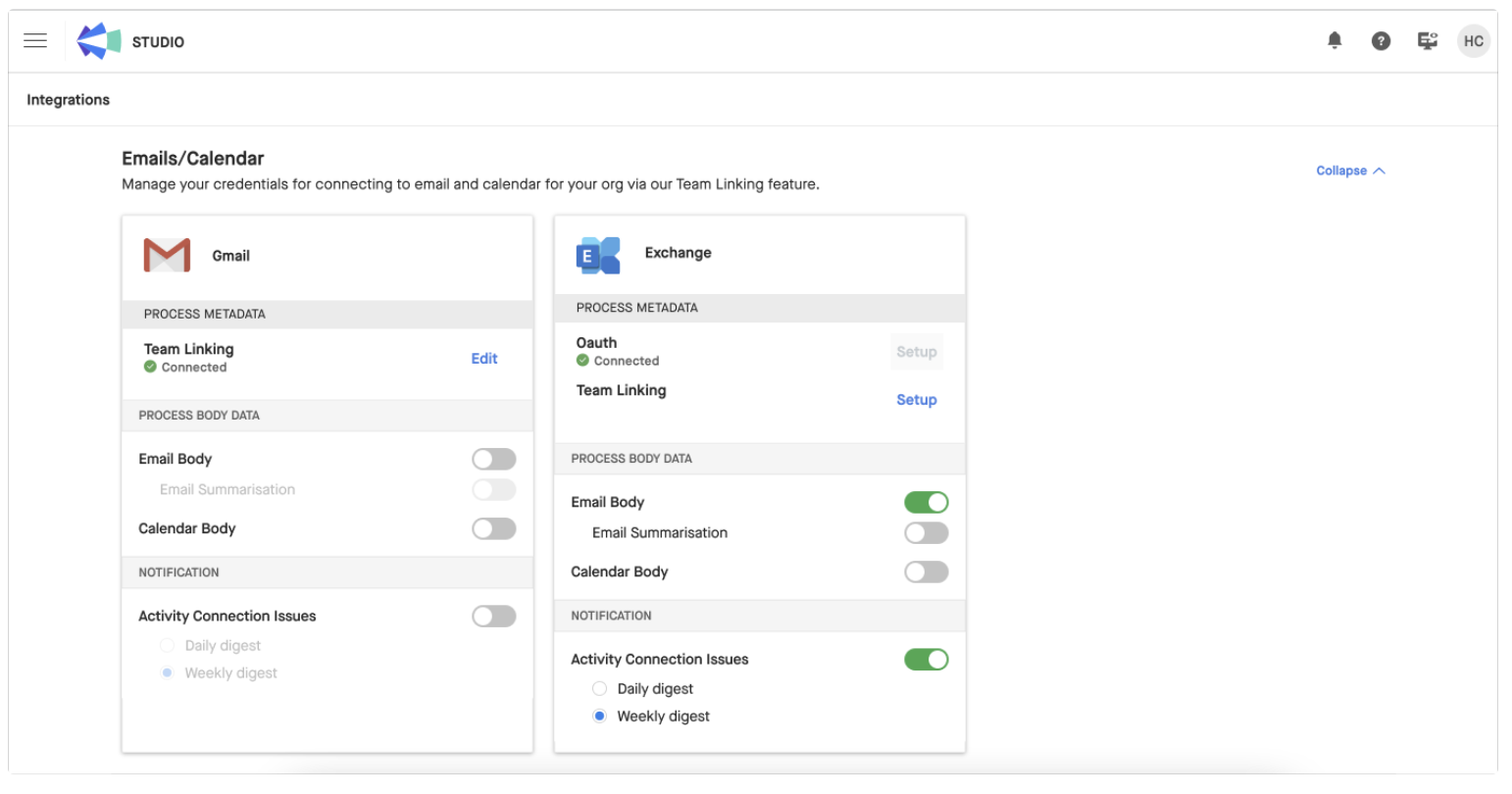
Clari Admins can enable Smart Email Summaries right from the Integrations page in Clari Studio.
- Go to Clari Studio (top right)
- Choose 'Integrations' from the menu (top left)
Note: You must enable the email Email Body toggle like in the image below, or Clari can't summarize your emails. For more detail, see this article. Once you enable Email Body, you must reach out to your CSM to enable the summarization feature.
User Flow
Once enabled by your Clari Admin, your company's users can see Smart Email Summaries in the Activity Detail View of the Insights Panel (to the right) in Opportunities. Here's how:
1. Select any Opportunity and open the Insights Panel for that opportunity. You will see a heat map of activity engagement.
2. Click on 'View Activity Details' which will open the activity detail view, where you can see the details of the activities like emails and meetings.
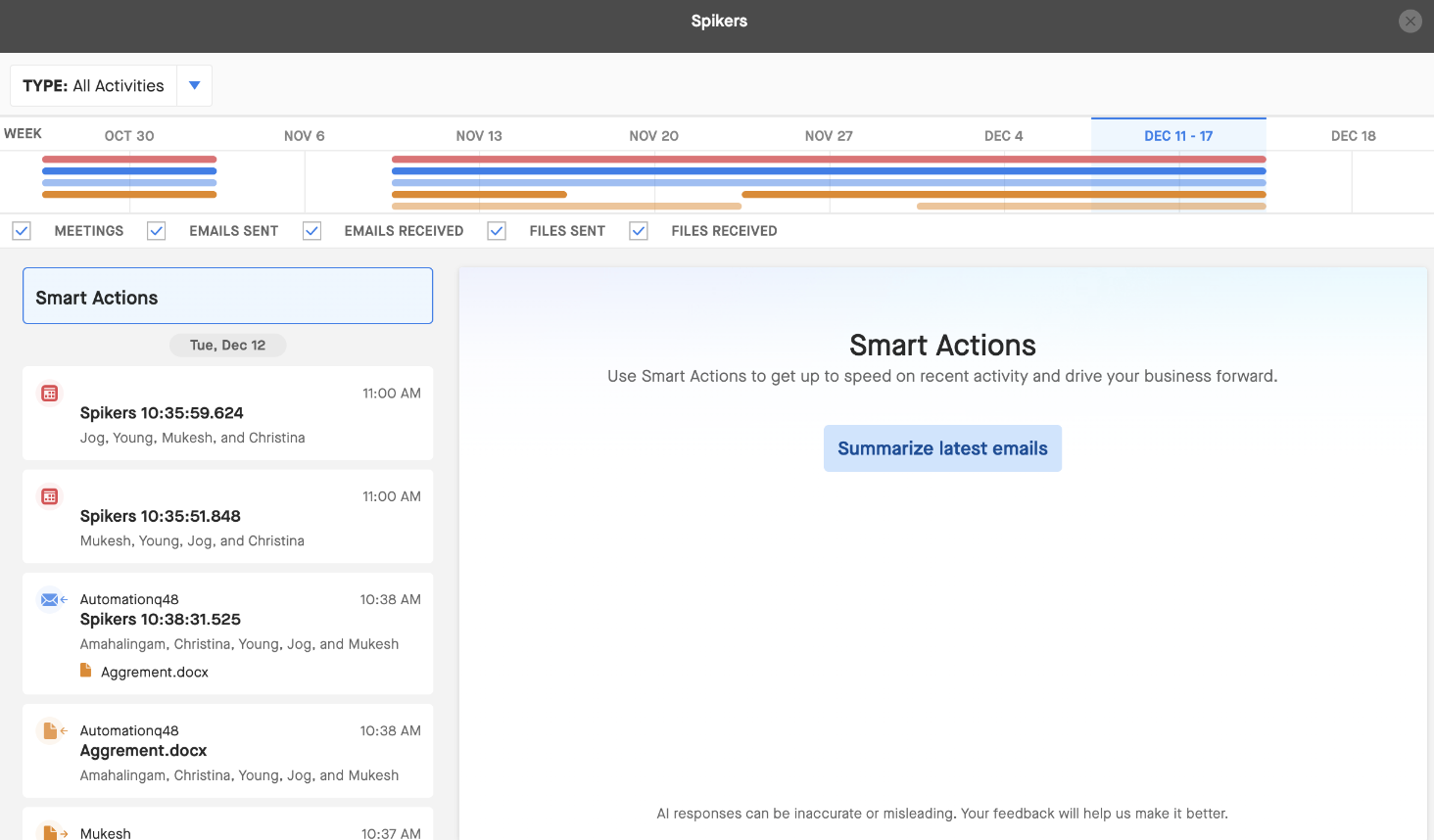
3. On the top of the list of activities on the left side, you will see 'Smart Actions' button. Click 'Smart Actions' and then click 'Summarize latest emails' button (see below).
Note: At the top where the dates are, you can select the-7 day period for which you want to analyze emails.
In just a few seconds, you'll see the summary of the last 7 days of email conversations. You can copy to your computer's clipboard with the 'Copy' button.