Whenever you create a Cadence, your first step is to give that Cadence a name. The Cadence Name will appear in the first column of the Cadence's Page, when you run a Cadence, and even in logged Cadence activities.
Since the Cadence name is used in so many places, you'll want to be sure the name makes sense to you. In other words, you don't want to question "Which Cadence is this?" The name should give you a good idea.
If the name does not provide the clarity you need — or if you've copied a cadence and want to remove the word "Copy" — you can rename the Cadence.
In this article, you will learn how to rename a Cadence in Salesloft. This article includes:
For a quick overview of renaming a cadence, check out the video below:
To Rename a Cadence, you must have a Salesloft account with permission to edit Cadences.
To rename a Cadence from the Cadences Page, follow these steps.
- Locate the Cadence: Go to the Cadences page in Salesloft. Find the Cadence you want to rename.
- Open Cadence Actions: Click the down arrow to the right of the Cadence name. This will open the Cadence Page Actions menu.
- Select "Rename": Choose the Rename option from the menu. The Rename Cadence window will appear.
- Enter the New Name: In the Cadence Name text box, type in the new name for your Cadence.
- Click "Update": Click the Update button to save the new Cadence name.
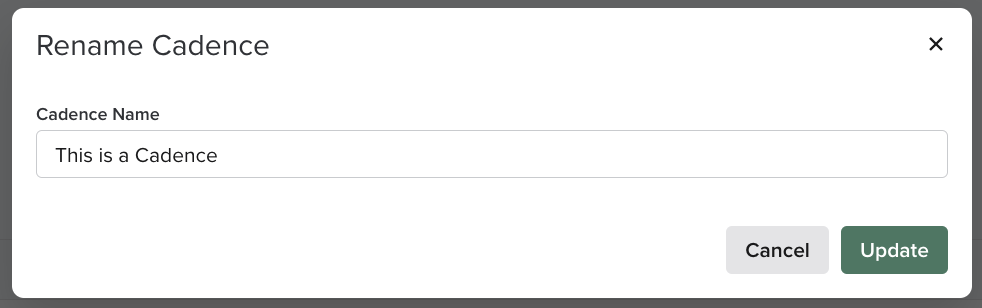
Figure 1: Rename Cadence from Cadences Page example
To rename a Cadence from the Cadence Settings, follow these steps:
- Locate the Cadence: Go to the Cadences page in Salesloft. Find the Cadence you want to rename. Select the Cadence to access the Cadence Overview.
- Open Cadence Settings: Click the Settings tab in the Cadence. This will open the Cadence Settings page.
- Enter the New Name: In the "Cadence Name" text box, type in the new name for your Cadence.
- Click "Save Settings": Click the Save Settings button to save the new Cadence name.
- The Cadence name is displayed throughout Salesloft, including on the Cadences page, when running a Cadence, and in logged Cadence activities.
- Renaming a Cadence does not affect its steps or functionality.
- Review your Cadences and rename any that have unclear or outdated names.
- Use descriptive names that clearly indicate the Cadence's purpose or target audience.
