The Team Performance: Availability report gives you an in-depth look at the availability of your chat agents throughout each day.
Billing Plan: The Team Performance: Availability report is available on the Premium, Advanced, and Enterprise plans.
In this article, we’ll cover:
- Accessing the Team Performance: Availability Report
- Reading the Team Performance: Availability Report
Accessing the Team Performance: Availability Report
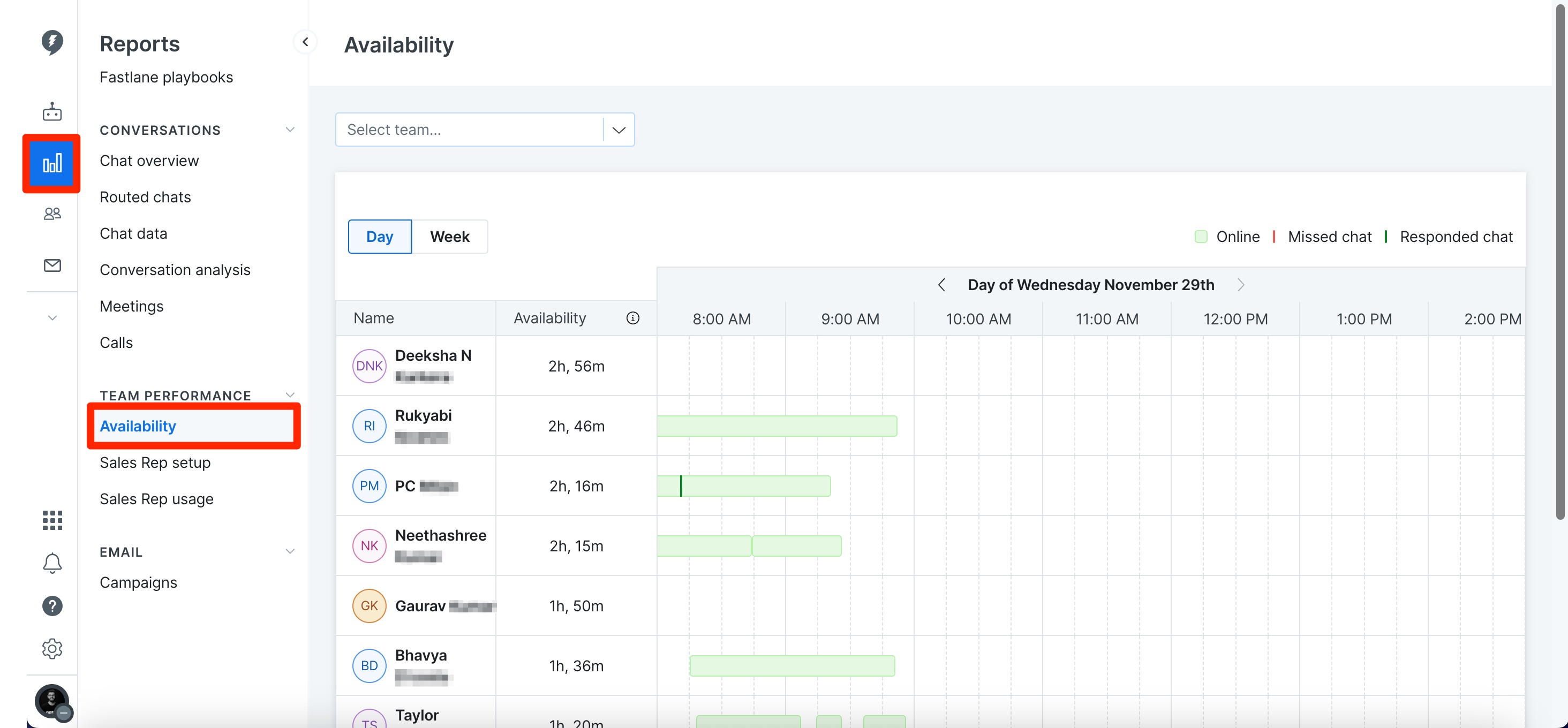
To view the Team Performance: Availability Report, click on the Reports tab > Team Performance > Availability.
Reading the Team Performance: Availability Report
The Team Performance: Availability report shows you the agent name under the Name column and the amount of time they were available for the day or week you have selected in the Availability column.
Things to Note:
- The Availability report does not display data in real time. It can take a couple of hours or more for metrics to generate.
- The Availability report is primarily designed for reps who toggle between online and offline regularly. If reps stay online without toggling offline for an extended period, it’s expected that they won’t appear in the report.
If a rep is online but not showing up in the report, they should toggle offline, then back online, and wait a couple of hours for the report to update.
Next to these two columns you can see an expanded breakdown of the agent's availability as well as when any chats were responded to or missed. The green rectangle that runs horizontally is a visual representation of the agent’s availability for a given day.
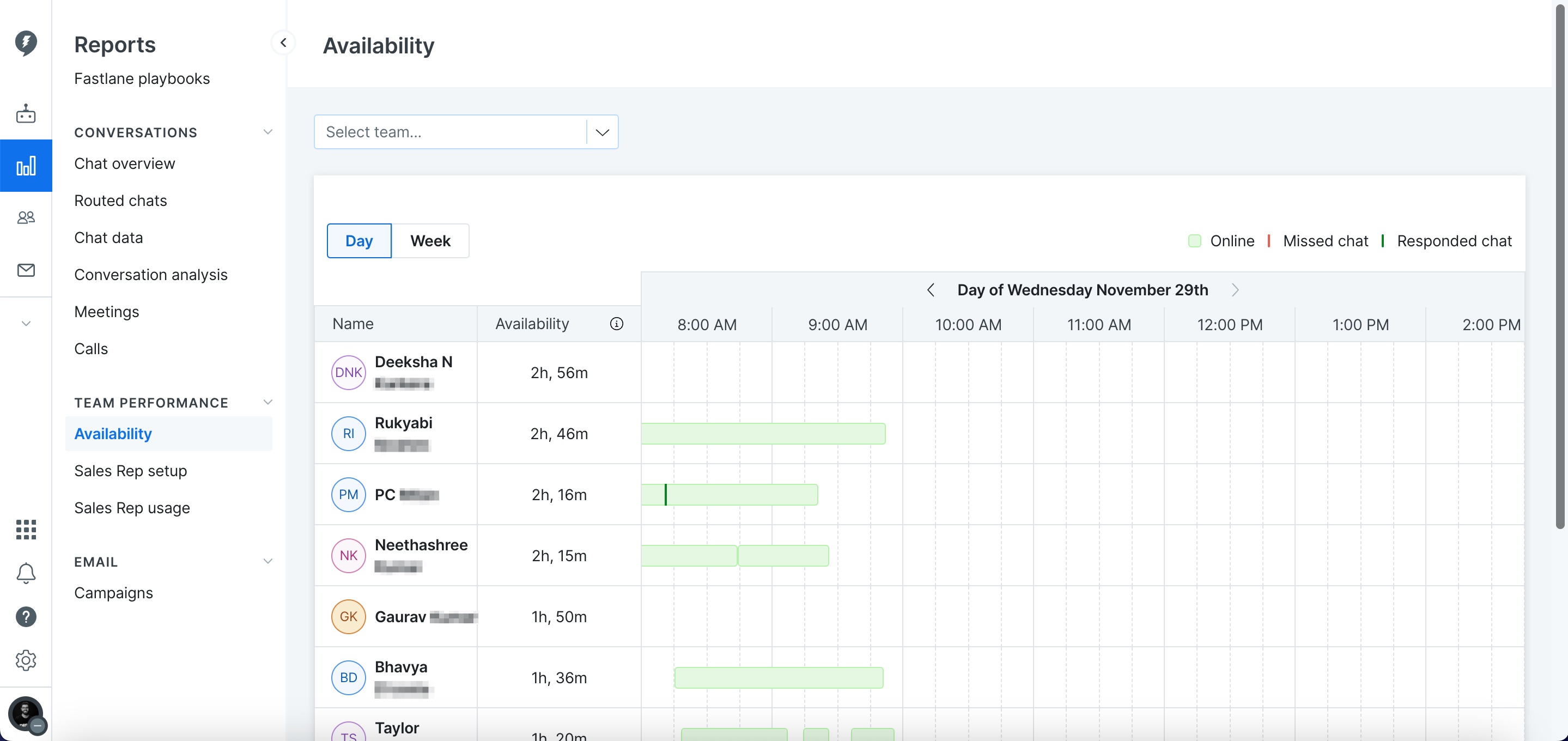
A dark green line indicates that a chat was responded to at that time, while a red line indicates that a chat was missed at that time. Clicking on either line will open the chat that was responded to or missed allowing you to access it right from this report.
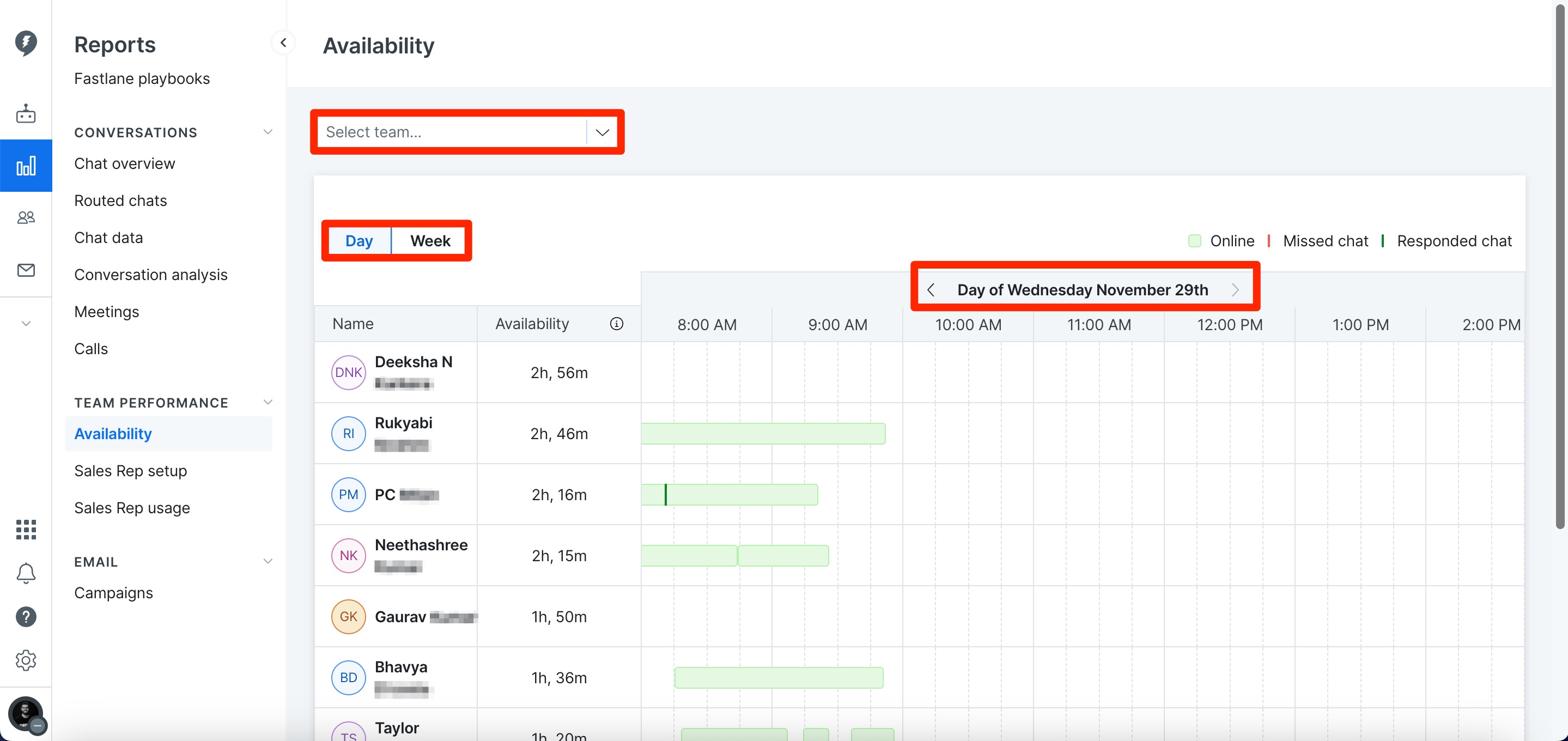
At the top of the screen is a drop down that will let you view this report by Team. Use the Day or Week button at the of the screen to switch between viewing availability at a daily or weekly basis. The arrows at the center of the report can be used to change the day or week you are viewing data for.